1
To get the desired audio app, open the installed Quran Majeed / Quran Tafsir or Quran Pak app v1.5.5 or later. If you do not already have the Quran Majeed app, you can download it from here.
Please make sure that you are viewing this page in your Android phone and then follow these instructions for downloading/importing audio files in your Quran Majeed app v1.5.5 or later.
To get the desired audio app, open the installed Quran Majeed / Quran Tafsir or Quran Pak app v1.5.5 or later. If you do not already have the Quran Majeed app, you can download it from here.
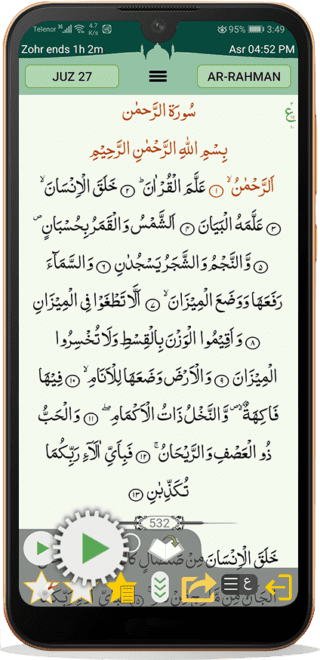
Open Quran Majeed App and go to audio settings by tapping the audio settings button at the bottom as shown in the image below.
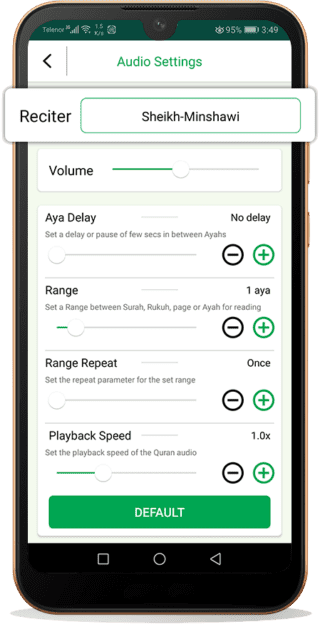
Once in the audio settings, tap on reciters.
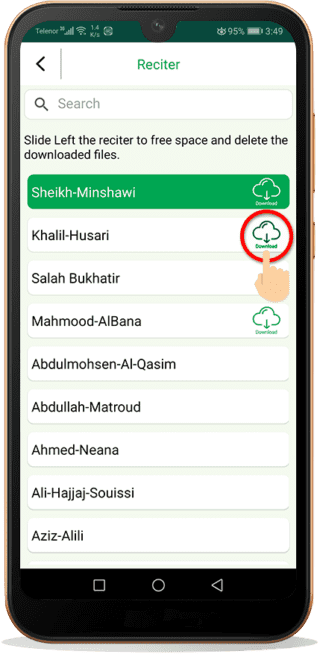
To download the audio app tap on the download button shown beside the reciter’s name.
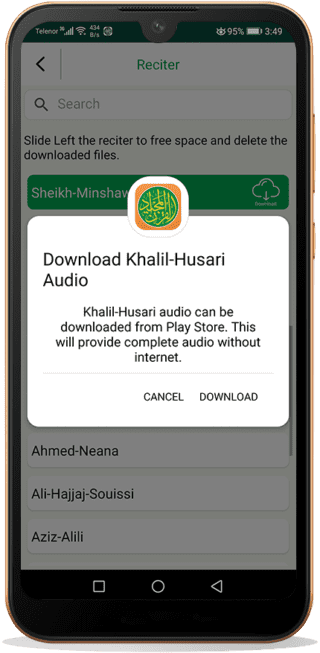
A pop-up message will appear. Click on download as shown in the below image and the audio app will open in Google Play Store.
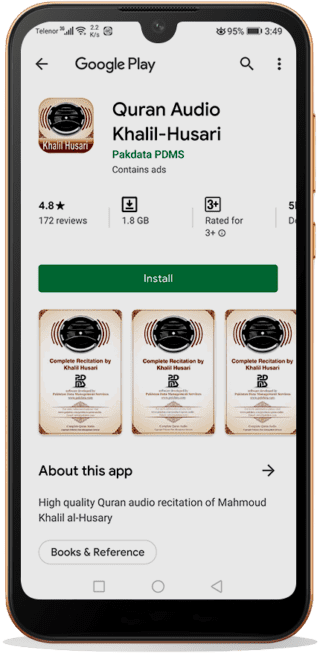
Tap on install to download and install the desired audio recitation on to your Quran Majeed app.